Digital artist Domen Lombergar shows you a step-by-step walktrough in the making of one of his images called “Thinking Egg Broken”.
Alrighty, welcome to the walktrough of creating “Thinking Egg Broken” by Domen Lombergar. This is one of my later work done for a battle and took about an hour to make. It should give you a pretty good insight on how I create my artwork, even though it’s not the most complex example to date. Of course this is not a beginner tutorial and will cover some more advanced features in photoshop. Our photoshop tutorial section is filled with articles that show you uses of particular tools more in-depth. Anyways, let’s begin…

This is the image I got fr0m the battle. It’s a photo of a broken egg shot with a fairly bad digital camera (image is filled with high-level noise and jpeg compression artifacts). At this point it’s obvious that I wont be able to create a print fr0m this, but as a tutorial it’ll do nicely. Did i mention the photo is underexposed and has a weird blue cast? Well, now I did 🙂

First of all well cut the egg out. Since this is a battle image we won’t need pixel precision (like we would in a print mind you) so we can cut it out with the lasoo tool (the tool selected). be precise as much as you can.

Now the egg is selected and we can cut it out fr0m the background. You could do it with different techniques really – you could inverse the selection and then cut that, you could copy the selection to a new layer and then paint the original with a color … or you could do it with layer masks as I did.

In this image I am correcting the color cast of the original whoto. I am bending the blue curve thus adding yellow tones into the image. As these two are opposite in the rgb wheel you are canceling out blue and making a normal color photo.

Next comes the model. I shot this image in a photoshoot of the rock group Anavrin, this is their lead singer Damir. You might notice that the image is underexposed by aboun one F-stop. This was done deliberately here to keep more detail in the face. Due to the fact that this is an image for a battle and not for a print there is no need to be pixel accurate and do individual hairs so I did a magic wand selection with about 40 tolerance. The selection came out nice since he’s shot against a greyish background.

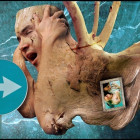
Now comes the basic compositing. I moved the egg layer to the image and transformed it so it fits normally as a head “attachment”. I also deformed a part of the skull to better fit the egg.

Now comes the masking part … no real fancy stuff here, just give extra attention to detail and watch out that you are creating aa smooth and failry natural looking blend between one object and another.

Next comes a slight color balance correction. This is of course nondestructive and can be changed at any time in the process.

I am doing selective color adjustments now to the face making it as much cyan as the egg and trying to get as close to the luminosity values as possible. I will not go into detail as of how to use the selective color adjustment, because Jason has written a tutorial about it which you can read here.

Some more selective color adjustments, this time doing shadows on the image. Did I mention a competition with big prizes will be done very soon on ArtCone? 😀 More info on that in the last paragraph of the tutorial. Read on:

Selective color layer to turn some hues in the egg around to make the color transition a bit more seamless.

I added a very slight texture at 40% opacity and soft light as the blend mode to cover both the face as well as the egg part. It’s masked to only affect those two and not the background. The mask was done by combining the selections of the two layers.

Another selective color adjusmtent layer on the face/body, turning even more cyan. You might notice at this point that I always like to do my color adjustments with selective color. It might be a bit more complicated than ather means but it gives me ultimate control over the values and in the end that’s the only thing that really matters to me.

This adjustment layer effectively darkened a lot of the image giving a stronger contrast out. Looks much more real and appealing at this point in time, huh?

Even more selective color! This one did some gamma tweaking on the midtones. This is how the final creature looks like.

Now for the background… I took an image that I shot in winter on a mountain here in Slovenia (notice my girlfriend’s parents in the picture). Basically what I did was an invert to the luminosity values (Ctrl+I) and a place in the background of the image. Whalla, final image all done. Yay! Here’s a final shot:

Thanks for taking the time to read this. I would really appreciate some feedback on what you think about the tutorial (and if would like to see more of this kind of tutorials), you can comment on it in the below comment field. If you come up with an interesting image with the help of my techniques here I would love to see it – you can post it in the gallery here on ArtCone. You get free exposure and some critiques fr0m me and the staff 🙂
Anyway, to wrap things up … there is a competition coming on ArtCone – the competition will be opened for photo manipulation artwork and there will be some fairly interesting prizes for you to win in it. More information very soon!
? 2005 Domen Lombergar for ArtCone | Redistribution of this tutorial without permission is strictly prohibited.