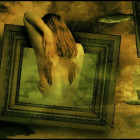
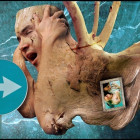
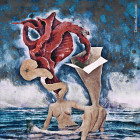
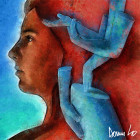
In this tutorial digital artist Shelley Bergen will show you the making-of process of one of her images called “Into The Depths”.

Choose your eye stock. Change the stock image to grayscale (ctrl+U) and increase the color depth to 16-bit (image/mode/16-bit).

Using the airbrush tool (mine was set to about 20% opacity) airbrush out the eyebrow. Then using black airbrush out the inside of the eye, being careful around the edges of the eye. With airbrush on black still and 10% opacity, create a shadow going from the inside corner of the eye downwards beneath the eye. Then go over the black airbrushed areas with burn set to around 10% opacity.

Choose your texture. I only used one on this image, I usually use about three. Copy and paste the layer onto the eye image. I mirrored the image to flip the texture over. Go to the layer palette and set it to multiply. Erase the texture from the eyelid. Now use the clone tool to remove the parts of the texture that are not wanted.

Go to image/adjustments/color balance and play with the colors a bit. Alter the color and lighten it a little. Using the burn tool once more I went over the shadow areas and the creases on the skin. I also set my burn tool to a very small size, say about 10 pixels, and went over all the pot marks the texture had to deepen them all. This might be a bit time consuming but it’s well worth it in the end 🙂

Go to brightness/contrast and lighten up the image a bit. I keep mine on +10 brightness and +10 contrast and repeat this if necessary. Merge all layers. Resize down to say 1024×768 (wallpaper size) and add a simple black border to accentuate the black inner eye. And don’t forget to sign your work.

Anyways … this concludes this tutorial, be sure to check back for more 😉
About the author:
I was born and raised in central Canada in 1962, and I live there still with my husband and our teenage son. Art has always played a part in my life, for the last 7 years or so I have focused on digital art, tapestry and painting in acrylics. I am co-owner of Groundfrost Illustration and Design which began in October 2004. Some of our clients include the Black Eyed Peas, God Forbid and The Killers. My digital art tools are Paintshop Pro 9, Poser 5, a Kodak Easy Share camera and a Wacom tablet. Poser 5 and my digital camera are still new tools to me, I’m learning as I go. I can’t imagine my life without art in it, its a part of me.
Shelley Bergen aka Nebu | http://nebu.deviantart.com
Published on ArtCone with permission